If you plan events for a living, you know the drill. You spend weeks coordinating speakers, venues, or virtual rooms. You build a great agenda. You market the event. Then comes the part that nobody warns you about: managing the registrations.
You copy email addresses from a spreadsheet into your mailing list. You manually send the confirmation link. You try to remember who asked a special question. A few days before the event, you stay up late sending reminders one by one. And after the event, you struggle to follow up with everyone who attended or missed it.
This is not why you became an event planner. You got into this work to bring people together, to create memorable experiences, and to help your clients or your organization succeed. The administrative side should not consume your nights and weekends.
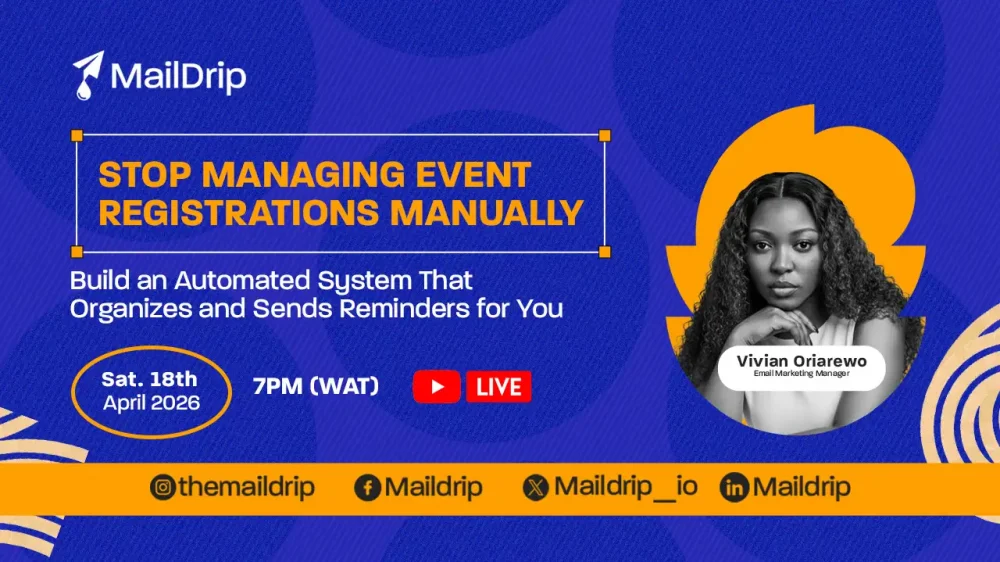
There is a better way. And on Saturday, 18th April 2026 at 7PM WAT, we are hosting a free live training to show you exactly how to automate the entire registration process using MailDrip.
Save your seat here – it is free
The Hidden Problem with Manual Registration Management
When you manage event registrations manually, every new sign‑up creates a small pile of tasks. You have to:
- Copy their name and email into your system.
- Send a welcome or confirmation message.
- Answer any questions they included in the registration form.
- Add them to the correct group (VIP, early bird, general attendee, etc.).
- Remember to send reminders 24 hours and one hour before the event.
- After the event, send the recording, slides, or a feedback survey.
For one event with 20 people, this might take an hour. For an event with 200 people, it can take an entire day. And if you run multiple events each month, manual registration quickly becomes a second job.
Worse, manual processes lead to mistakes. You might forget to send a reminder to one batch of attendees. You might accidentally send the wrong link. Or you might miss a custom question someone asked when they registered. These small errors hurt your professional reputation and lower attendance rates.
Event planners deserve better. You deserve a system that handles the repetitive work so you can focus on delivering great events.
What You Will Learn in the Free Live Webinar
This is not a generic “automation is great” presentation. We are going to open the MailDrip dashboard and show you exactly how to build a registration system that works while you sleep.
During the live session on Saturday, 18th April 2026 at 7PM (WAT) , you will learn:
1. How to Create an Opt‑In Page for Event Registration Using MailDrip
You need a simple, clean page where people can sign up for your event. We will show you how to build that page inside MailDrip without any coding or design skills. You will see how to add your event details, set the date and time, and make the page live in minutes.
2. How to Collect Structured Attendee Data
A registration form should do more than just ask for a name and email. You will learn how to add custom questions to your opt‑in page. For example, you can ask:
- Which session does the attendee want to join?
- What is their biggest challenge related to the event topic?
- Do they have any dietary restrictions (for in‑person events)?
- Are they coming as a group or individually?
This structured data makes your follow‑up much more personal and effective.
3. How to Use Smart Rules to Automatically Segment Participants
This is where the real power comes in. Smart Rules let you sort attendees automatically based on how they answer your custom questions. For example:
- If someone says they are a beginner, you can send them a different confirmation email than you send to advanced attendees.
- If someone registers for a specific track or session, you can add them to a separate group.
- If someone asks a question in the registration form, you can flag that attendee for a personal follow‑up.
We will show you how to set up these rules in under five minutes. No complex coding. Just simple “if this, then that” logic.
4. How to Automate Confirmations and Follow‑Up Messages
Once someone registers, the system should take over immediately. You will learn how to create an automated sequence that:
- Sends a confirmation email right away (with the event link, calendar invite, and what to expect).
- Sends a reminder 24 hours before the event.
- Sends a final reminder one hour before the event.
- Sends a post‑event email with the recording, slides, or a special offer.
You will see exactly how to write these emails, set the timing, and turn the sequence on with one click.
Why This Webinar Is Different
Most training sessions talk about automation in vague terms. They say “you should automate” but never show you the actual buttons to click. This webinar is the opposite. We will share our screen and walk through every step inside MailDrip.
By the end of the hour, you will have a clear, actionable plan to automate your very next event. You will know exactly how to set up the opt‑in page, collect the data you need, create Smart Rules, and build your confirmation and follow‑up sequence.
And because the session is live, you can ask questions. If you get stuck on a specific part of the process, we can answer it in real time.

Take Your Emails to the Next Level
MailDrip helps you automate your outreach, nurture leads, and grow your brand with ease. Send the right message at the right time—without the stress.
Sign Up FreeNo Card Required
Who Should Attend
This webinar is designed for event planners first and foremost. If your job involves organizing conferences, workshops, networking events, webinars, or any other gathering where people register in advance, this training is for you.
That said, the same system works beautifully for coaches, course creators, and personal brands who host events. If you fall into one of those categories, you are welcome too. But the examples and language will center on the needs of professional event planners.
Frequently Asked Questions
Do I need to be technical to follow along?
Not at all. MailDrip is built for non‑technical users. If you can send an email and fill out a form, you can use every feature we will demonstrate. We will avoid jargon and keep everything simple.
What if I already use a different email marketing tool?
You can still attend. The concepts we teach (opt‑in pages, structured data, segmentation rules, automated sequences) apply to any platform. However, the live demonstration will use MailDrip, so you will see exactly how it works inside our system.
Will this work for in‑person events or only virtual ones?
Both. For in‑person events, your automated sequence can include venue directions, parking information, check‑in instructions, and post‑event surveys. The principles are exactly the same.
How much time will automation really save me?
For a single event with 100 attendees, a good automation system can save you 5 to 10 hours of manual work. For event planners who run multiple events per month, the time savings add up to days or even weeks over the course of a year.
What is the biggest mistake event planners make with registration?
The biggest mistake is treating registration as a one‑time action. They send the confirmation and then go silent until the event starts. A proper automated sequence includes strategic reminders and a valuable post‑event follow‑up. We will show you exactly how to build that sequence.
A Realistic Look at Your Automated Workflow
Let us walk through how your life changes once you implement what we teach in the webinar.
Before automation:
- You create a registration form in a third‑party tool.
- You manually export the list of attendees.
- You import the names and emails into your email system.
- You write and send a confirmation email to everyone.
- You read through every custom question and manually sort attendees into groups.
- A week later, you write a reminder email and send it.
- The day before, you write another reminder and send it.
- After the event, you write a follow‑up email and send it to the entire list (no segmentation).
- You repeat this entire process for your next event.
After automation (using what you will learn in the webinar):
- You build one opt‑in page inside MailDrip with all your custom questions.
- You set up Smart Rules once to automatically segment attendees based on their answers.
- You write your confirmation, reminder, and follow‑up emails one time and schedule them.
- You publish the opt‑in page.
- Every new registrant is automatically confirmed, segmented, and added to your email sequence.
- Reminders go out automatically on the schedule you set.
- After the event, the follow‑up email goes out automatically, and each segment gets a version tailored to them.
- You never touch the system again unless you want to make changes.
The difference is night and day. Instead of being a clerk, you get to be an event planner again.
Join Us Live on April 18th
We have packed this one‑hour session with practical, actionable content. No fluff. No theory. Just a clear, step‑by‑step demonstration of how to use MailDrip to automate your event registrations from start to finish.
Date: Saturday, 18th April 2026
Time: 7PM (WAT)
Location: Live online (link provided after registration)
Cost: Free
Spaces are limited to keep the session interactive. When you register, you will also receive a replay link in case you cannot attend live.
Click here to reserve your seat
Explore More Ways to Simplify Your Event Workflow
While you are here, you might find these resources helpful:
- MailDrip Home
- Log in to Your Dashboard
- Read More Tips on the Blog
- See the Full Feature List
- View Pricing Options
- Discover Our Webinar Landing Page Templates
Conclusion
You became an event planner to bring people together and create meaningful experiences. Not to drown in spreadsheets, manual emails, and late‑night reminders. Every hour you spend on manual registration tasks is an hour stolen from improving your events, supporting your speakers, or simply resting.
The solution is not to work harder. It is to work smarter by automating the repetitive parts of registration. And the best way to learn that system is to see it built live, right in front of you.
So here is a question to think about: If you could get back the 5 to 10 hours you currently spend on manual registration for each event, what would you do with that time? Would you find better venues, recruit more impressive speakers, or finally take a weekend off?
Your answer to that question is exactly why you should join us on April 18th.
We will see you on Saturday, 18th April at 7PM WAT. Come ready to learn, ask questions, and walk away with a system that works.