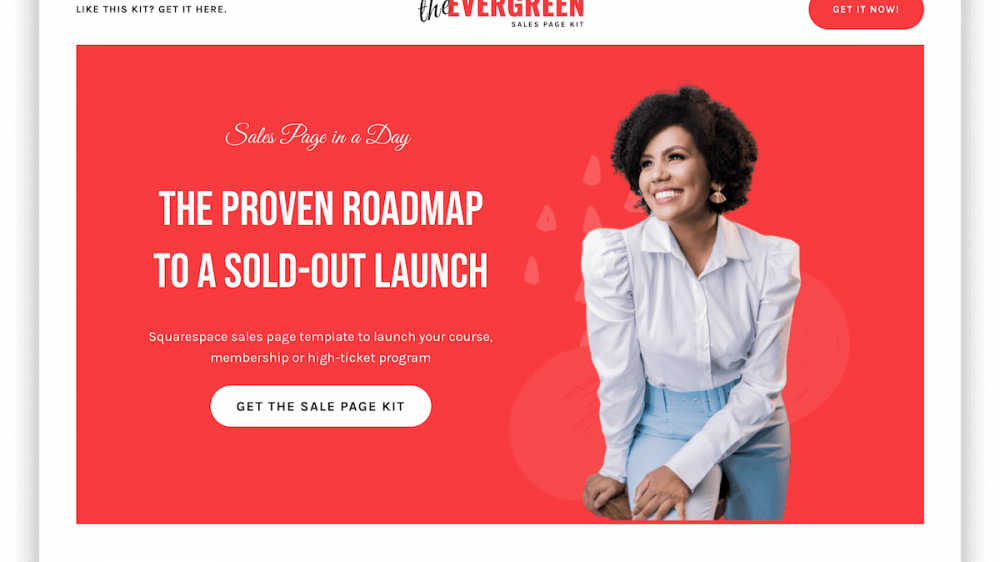
Landing page visitors do not read every word on your screen. They scan headline by headline, looking for an answer to one simple question: What can this do for me?
If your feature blocks are filled with technical terms, vague promises, or long blocks of text, readers will bounce off your page before they ever discover how useful your product actually is.
A feature block is the engine room of your landing page. While your hero section grabs attention, your feature blocks do the heavy lifting of building trust, answering practical questions, and driving sign-ups. Writing feature blocks that clearly explain your product without overwhelming your visitor is one of the highest-leverage skills in online marketing.
Here is a practical, step-by-step guide to drafting clear, high-converting feature blocks that communicate value instantly.
What Is a Landing Page Feature Block?
A feature block is a structured section of your landing page designed to highlight a specific capability, function, or benefit of your product or service.
Most landing pages place feature blocks just below the hero section. They typically feature three key elements:
- A concise headline that highlights the main benefit.
- A brief description explaining how the feature works in simple terms.
- A visual element, such as a screenshot, custom graphic, or icon, that demonstrates the capability in action.
The ultimate goal of a feature block is not just to showcase what your software or offer does, but to explain why that capability matters to your customer.
When done right, feature blocks eliminate doubt. They help visitors picture themselves using your tool to solve their everyday problems. If you want to dive deeper into page layout fundamentals, review our guide on how to build a landing page that converts for digital products.
The 4 Essential Components of a Clear Feature Block
Every high-performing feature block relies on a simple framework. Skipping any of these four core elements risks leaving your reader confused or unimpressed.
1. The Outcome-Focused Headline
Your feature block headline should never just name the feature. Instead, it should lead with the outcome that the feature produces.
- Weak: “Automated Drip Sequences”
- Strong: “Turn Leads into Sales with Automatic Drip Sequences”
The weak example describes a backend mechanism; the strong example promises a tangible business result.
2. The Simple Description
The description body text should expand on your headline in two or three short sentences. Use basic, everyday English. Avoid buzzwords like synergy, seamless ecosystem, or next-generation paradigm. Focus on explaining the exact step your user will take and what they gain from it.
3. Visual Reinforcement
Text tells, but visuals show. A feature block needs a supporting visual element to validate your copy. This could be a clean screenshot of your app dashboard, a short screen record GIF showing an action in progress, or an intuitive graphic. Avoid using generic stock photos that fail to illustrate the actual feature.
4. Direct Relevance to User Goals
Every block should directly solve a practical pain point for your targeted user segment. If a feature does not directly save time, generate revenue, or reduce friction, it does not belong in your primary feature section.
Step-by-Step Guide to Drafting Clear Feature Blocks
Drafting effective feature blocks requires shifting your perspective from product creator to first-time visitor. Follow these five practical steps to write clear, compelling copy.
Step 1: List Your Product Features and Identify the Real-World Benefit
Start by writing down the raw features of your product. Next to each feature, answer this question: So what?
Here is how to translate technical capabilities into user-centered benefits:
- Raw Feature: Direct Gmail integration support.
- So What? Users don’t need to configure complex SMTP servers.
- Drafted Feature Block Headline: Connect Your Personal or Business Gmail in Seconds.
- Drafted Feature Description: Start sending up to 500 emails daily through your personal account or up to 2,000 per day with your business workspace directly from your dashboard—without technical setups.
- Raw Feature: Pay-as-you-go credit structure.
- So What? Users avoid recurring monthly charges when they aren’t sending emails regularly.
- Drafted Feature Block Headline: Pay Only for the Emails You Actually Send.
- Drafted Feature Description: Buy email credits whenever you need them without being locked into expensive monthly subscriptions.
If you are evaluating email tools built around this simple philosophy, take a look at the full list of MailDrip email marketing features to see how straightforward feature messaging looks in practice.
Step 2: Write for the Scanning Eye
Most website visitors read in an F-shaped pattern, scanning headlines and bold text while skipping large text walls. To make your feature blocks scannable:
- Keep headlines between 4 and 8 words.
- Limit paragraphs to 30–40 words max.
- Use bold text selectively to emphasize key phrases.
- Break groups of sub-features into short bullet points.
When your copy is easy to scan, prospective customers absorb your main value proposition in seconds.
Step 3: Remove Technical Jargon and Buzzwords
Jargon creates cognitive load. When readers encounter words they don’t immediately understand, they pause, get frustrated, and close the tab.
Re-read your feature block draft and strip away any corporate filler:
- Replace utilize with use.
- Replace optimize workflow efficiency with save time.
- Replace robust deliverability architecture with emails that actually land in the inbox.
Clear, conversational language builds trust instantly. It demonstrates respect for your reader’s time and clarity of mind.

Take Your Emails to the Next Level
MailDrip helps you automate your outreach, nurture leads, and grow your brand with ease. Send the right message at the right time—without the stress.
Sign Up FreeNo Card Required
Step 4: Show, Don’t Just Tell
Pairing text with accurate visual cues makes your feature block twice as effective. When designing visual assets for your blocks:
- Use real UI screenshots instead of abstract shapes.
- Highlight key buttons or actions with subtle callouts or shadows.
- Ensure visual content matches the precise action described in your text block.
If your feature block talks about building automated subscriber sequences, show a clear visual of a simple step-by-step workflow builder—not a generic icon of a gear or a lightbulb.
Step 5: Group Your Feature Blocks Logically
Avoid cluttering your landing page with dozens of individual blocks. Instead, limit your main feature section to 3, 4, or 6 core blocks arranged in a balanced grid or alternating side-by-side layout.
Organize your feature blocks using one of these common structures:
- The Problem-to-Solution Sequence: Group features based on the sequence of steps a user takes to solve their problem (e.g., Build forms -> Capture leads -> Send automated emails).
- The Persona-Based Sequence: Group features by reader type (e.g., Features for Creators, Features for Solopreneurs, Features for Marketers).
- The Core Value Columns: Present your top three flagship capabilities in a side-by-side grid below your hero image.
For more actionable layout inspiration, check out our guide on 9 practical landing page tips for increased conversion.
Common Mistakes That Ruin Feature Blocks
Even experienced copywriters make simple mistakes that make feature blocks hard to read. Avoid these three common pitfalls when writing your copy.
1. Writing About the “How” Instead of the “Why”
Engineers and founders often write feature descriptions focused entirely on backend architecture. But your visitor rarely cares how your software is built behind the scenes; they care about what it enables them to achieve today.
- Mistake: “Built on a multi-node API relay network.”
- Correction: “Fast, dependable delivery that makes sure your campaign arrives on schedule.”
2. Overcrowding Single Feature Blocks
Trying to pack three different ideas into one feature block creates visual and mental chaos. Keep every single block dedicated to one single concept.
If a feature does two separate things, split them into two distinct feature blocks or use sub-bullets under a single main headline.
3. Neglecting Mobile Layouts
More than half of your web traffic views your landing page on a mobile screen. Feature blocks designed side-by-side on a laptop often stack awkwardly on mobile phones, creating endless scrolling distance.
Make sure your feature copy is short enough to fit cleanly on small screens without requiring users to scroll endlessly through walls of copy. Keep your headline-to-body text ratio tight and readable on smaller viewports.
How Simple Tools Make Feature Block Design Easier
When creating landing pages, solopreneurs and creators often struggle with clunky page builders that demand hours of layout tweaking. You should not need an advanced engineering degree or a expensive design team to share your offer with the world.
At MailDrip, we believe in keeping digital tools simple, clean, and distraction-free. Whether you want to launch a quick sign-up page for an ebook or build a complete conversion funnel, you don’t even need a separate website to get started. MailDrip gives you landing pages and opt-in forms straight out of the box.
Instead of fighting complicated plugins or paying monthly fees for tools you rarely open, MailDrip helps you get up and running instantly:
- Out-of-the-Box Landing Pages: Build clear, conversion-focused landing pages without managing separate web hosting or complex software integrations. Read our step-by-step guide on how to create a great landing page even if you don’t have a website yet.
- Flexible Pay As You Go Pricing: Never worry about expensive monthly tiers when you are starting out. You can buy email credits as you go, or take advantage of our free plan offering 1,000 free monthly emails and unlimited contacts. Check out our transparent pricing plans to see what fits your current goals.
- Direct Gmail Connection: Seamlessly link your existing personal or workspace Gmail account to send daily automated emails straight from your account dashboard without server headaches.
- Human Support When You Need It: If you ever get stuck structuring your landing pages or email campaigns, our team is available 24/7 via chat, email, and WhatsApp to help you succeed.
Real-World Example: Before and After Feature Block Copy
To see how these principles work together in practice, examine this real-world draft comparison for a digital product landing page.
The Raw Draft (Before)
- Headline: Custom Opt-In Webform Builder
- Body: Our software provides users with advanced HTML form embeds and modal popup triggers designed with customizable CSS attributes so you can capture visitor emails easily on any web property.
The Optimized Draft (After)
- Headline: Grow Your Subscriber List with Easy Opt-in Forms
- Body: Collect email leads anywhere online. Create clean, responsive opt-in forms in minutes and embed them directly onto your page—no coding required.
The optimized draft is direct, active, and clearly outlines what the user gets without overwhelming them with unnecessary jargon.
Frequently Asked Questions
How many feature blocks should I put on a landing page?
For most landing pages, presenting 3 to 6 feature blocks is the sweet spot. Three feature blocks work exceptionally well in a side-by-side grid for simple offers or digital products. If your product is more complex, you can use 4 to 6 alternating feature blocks stacked vertically.
Should feature blocks include Call to Action (CTA) buttons?
Not every feature block needs its own button. Too many CTA buttons create decision fatigue for visitors. It is usually best to let your feature blocks build interest naturally, leading the user toward main CTA buttons placed strategically in your hero section, middle page break, and footer.
What is the difference between a feature block and a benefit block?
A feature block describes a specific tool, capability, or function within your product (such as Automated Email Workflows). A benefit block focuses entirely on the personal outcome or emotional feeling experienced by the user (such as Save 10 Hours Every Week). The best feature blocks combine both: they explain the benefit in the headline and the feature in the supporting text.
Can I publish landing pages without owning a custom website domain?
Yes! Many creators and small business owners launch successful campaigns using built-in landing page hosting tools. Platforms like MailDrip provide native landing pages out of the box, letting you capture subscriber emails, deliver free downloads, and host registration forms without managing website servers. If you are launching an event or online session, check out our guide to creating a dedicated webinar landing page.
Crafting Copy That Connects
Drafting clear feature blocks comes down to prioritizing clarity over cleverness. When you focus on solving your audience’s core problems, eliminate jargon, and keep your copy easy to scan, your landing page instantly becomes a more effective sales engine for your business.
Take a look at your main product page today. Are your feature blocks clearly explaining the real value your product delivers, or are they hiding behind technical clutter?
If you are ready to build simple landing pages, capture leads effortlessly, and launch automated email campaigns that grow your revenue without the stress, explore more guides on the MailDrip blog or create your free account on the MailDrip dashboard today!
