
Starting an email list often feels like climbing a mountain. You might think you need to buy a new domain, learn complex DNS settings, pay for expensive software, and build a massive website just to send a simple message to your audience.
It is easy to get stuck in this planning phase. But the truth is, you do not need any of that to start. If you have a standard Gmail account, you already have the most powerful delivery engine in the world sitting right in your pocket.
You can set up a professional, fully automated email marketing system using your existing Gmail account in less than 10 minutes. In this guide, we will show you exactly how to do it safely, legally, and without any technical headache.
The Gmail Dilemma: The Good, the Bad, and the Solution
Many creators ask: Is it really possible to do email marketing with Gmail?
Yes, it is. But there is a right way and a wrong way to go about it. To understand why we need a clever setup, we have to look at how Gmail works when you use it for business.
The Good: Amazing Deliverability
When you send an email from your personal Gmail or Google Workspace account, Google treats it as a real, human message. Because it is sent from a trusted personal address, it almost always lands directly in the primary inbox. Traditional email marketing tools often send messages from cold, shared servers, which can land your emails straight into the “Promotions” or “Spam” tabs.
The Bad: Manual Limitations and Spam Risk
If you try to run your newsletter by copy-pasting addresses into the BCC field of a standard Gmail compose window, you will run into massive problems:
No Unsubscribe Link: Legally, your marketing emails must have an easy way for people to opt out. If they cannot unsubscribe, they will mark your email as spam, which ruins your sending reputation.
No Tracking: You will have no idea who opened your email or clicked your links.
The Spam Filter: Sending the exact same email to dozens of people at once from a standard inbox looks suspicious to Google’s automated security systems, which can get your account temporarily locked.
The Solution: The Bridge
To do this right, you need a simple bridge. You need a dashboard that allows you to draft beautiful emails, track your opens, manage your subscribers, and add mandatory unsubscribe links, while still sending the actual emails safely through your trusted Gmail account.
This is exactly what we designed. You can find a deeper explanation of how this works in our full guide on how to do email marketing with Gmail.
Link Your Gmail and Launch in 10 Minutes
Let us walk through the exact setup. Grab a cup of tea or coffee, and let us get you up and running.
Step 1: Create Your Account
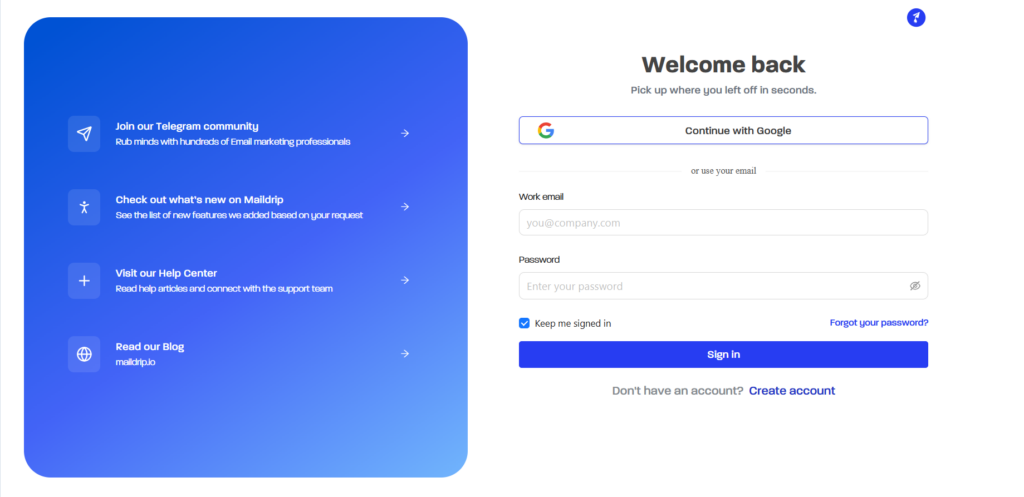
First, you need a simple, clean workspace to write your emails and manage your list. Head over to the MailDrip Sign-Up Page and create your account.
We built MailDrip specifically for creators, personal brands, and small business owners who do not want to wrestle with complicated enterprise software. Our free plan gives you 1,000 free emails and unlimited contacts so you can get started without pulling out your credit card.
Step 2: Connect Your Gmail Account
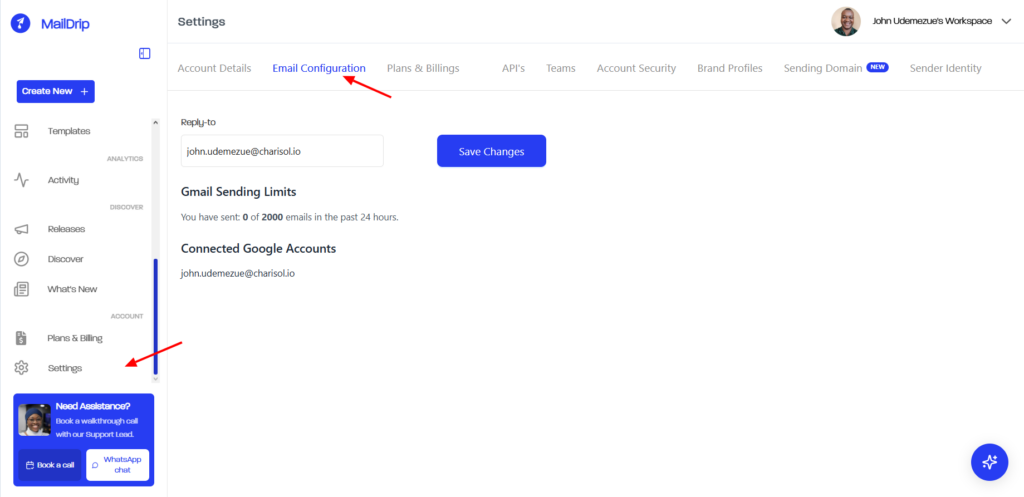
Once you are logged into your MailDrip Dashboard, it is time to connect your sending email.
Instead of dealing with confusing server settings or manual configurations, you can connect your Gmail account securely in just a few clicks. This allows MailDrip to send your campaign emails directly through your trusted Gmail address behind the scenes.
For Personal Gmail Accounts: This setup allows you to safely send up to 500 emails per day.
For Google Workspace Accounts: If you have a paid business email with Google, you can send up to 2,000 emails per day.
This connection is highly secure. Google’s modern authentication protocols ensure your password is never shared, keeping your account perfectly safe.
Step 3: Build Your Opt-in Landing Page
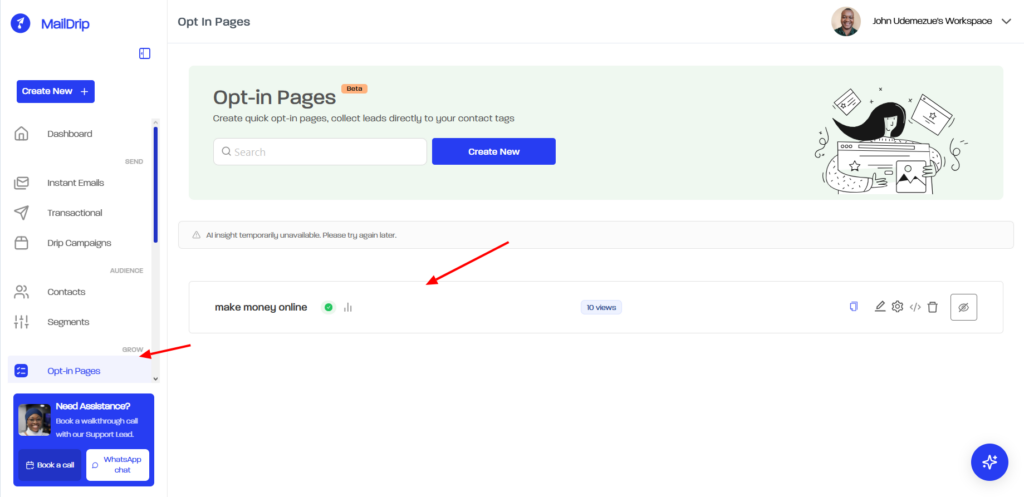
Many people think they cannot start an email list because they do not have a website yet. We do not want that to stop you.
Inside your MailDrip dashboard, you can build beautiful landing pages and opt-in forms without touching a single line of code.
Choose a simple template.
Write a clear, friendly headline explaining what people get when they sign up (such as a free guide, a discount, or a weekly tip).
Add an email collection box.
Publish your page.
You now have a live link that you can share on your Instagram bio, TikTok account, LinkedIn profile, or WhatsApp status. When people enter their details, they are automatically saved to your MailDrip contact list. If you want a more detailed look at the basics, check out our how to start email marketing for beginners guide.
Step 4: Write Your Automated Welcome Sequence
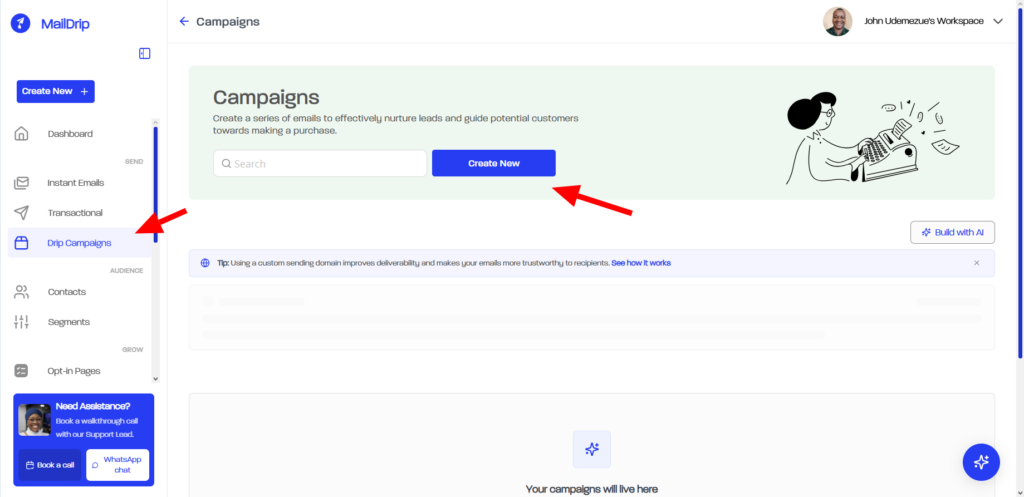
The moment someone gives you their email address, they are highly engaged. You should never make them wait weeks for your first newsletter.
Instead, you can use our simple automation tools to set up a “drip campaign”. This is a series of pre-written emails that go out automatically on a schedule you choose.
Here is a classic three-part welcome sequence you can write in a few minutes:
Email 1 (Sent immediately): “Welcome! Here is the free guide/resource I promised.”
Email 2 (Sent 2 days later): “Here is a quick story about how I got started, and a tip to save you some time.”
Email 3 (Sent 4 days later): “Here is a common mistake I see people make, and how my product or service can help you fix it.”
Once you write these once, they run on autopilot for every single person who signs up. To learn more about creating these smooth flows, view our guide on building an email automation workflow.
Step 5: Send or Schedule Your First Campaign
If you already have a small list of contacts who have given you permission to email them, you can upload them easily as a CSV file.
Now, draft your first message. We recommend keeping your design clean and simple. Heavy graphics and colorful buttons often feel like corporate advertisements and can trigger spam filters. A plain-text email that looks like it came from a friend is much more personal and gets much higher engagement.
Once you are happy with your draft, you can send it immediately or schedule it to go out at the perfect time.
Gmail Sending Limits: How to Stay Safe
Google has strict rules to keep the internet free from spam. Because of this, they place daily limits on how many recipients you can send emails to. It is important to know these limits so your account stays in good standing.
Account TypeDaily Recipient LimitBest Used ForFree Personal Gmail (@gmail.com)500 recipients per daySolopreneurs, hobbyists, and side hustlers just starting out.Google Workspace (Paid)2,000 recipients per dayGrowing brands, digital marketers, and active businesses.
What counts as a recipient?
It is a common mistake to think these limits refer to “emails sent.” Google counts recipients. If you send one email to a list of 100 people, that counts as 100 recipients against your daily limit.
How MailDrip keeps you safe
If you try to blast a large list all at once, Google might block your account for 24 hours. MailDrip solves this problem automatically. Our platform paces and staggers your emails throughout the day. If you have a larger list, we make sure your emails are sent smoothly within Google’s guidelines, protecting your account from getting flagged.
For larger campaigns that go beyond these limits, we also offer a drip campaign system that manages your deliveries perfectly.
Why MailDrip is the Best Partner for Your Gmail
There are hundreds of email marketing tools out there, but most of them are built for massive corporations with giant marketing teams. They overwhelm you with dense charts, complex builders, and expensive monthly plans.
We wanted to build something different. MailDrip is designed for creators, digital marketers, and small brands who just want things to work.
1. No Bloat, No Confusion
Our interface is clean and quiet. You do not need a marketing degree to use it. You can write your emails, look at your simple analytics, and get back to your real work.
2. Pay Only For What You Need
Why pay a high monthly fee when your list is still small? We believe in keeping things fair.
Our free plan gives you 1,000 free emails and unlimited contacts.
If you need more, our Pay As You Go (PAYG) option means you can buy email credits and use them whenever it makes sense for your business. No forced monthly commitments. You can explore all our options on the MailDrip Pricing Page.
3. Built-In Landing Pages
As we mentioned, you do not need to buy a website or hire a developer. We give you beautiful opt-in forms and landing pages right out of the box, so you can start collecting leads today.
4. Real Human Support
When you have a question, you do not want to talk to a robot that gives you generic help links. We offer 24/7 support via chat, email, and WhatsApp. Our team is based in Yaba, Lagos, Nigeria, and we genuinely love helping creators around the world succeed. Read more about us and our journey.
Frequently Asked Questions
Can I use a completely free Gmail account for email marketing?
Yes, you can connect a free personal Gmail account (@gmail.com) to MailDrip. It is a perfect way to start without any overhead costs. Just keep in mind that Google limits free accounts to 500 recipients per day.
Will connecting my Gmail account get it banned?
No, as long as you send legitimate emails to people who have chosen to subscribe to your list. MailDrip connects securely using Google’s approved methods. Because we add mandatory unsubscribe links and stagger your sends, your account stays fully compliant with Google’s policies.
Do I need a website to start building an email list?
Not at all. When you use MailDrip, we host your landing pages and signup forms for you. You can share your custom landing page link directly on your social media profiles, and start growing your audience instantly.
What is the difference between this setup and a traditional bulk-sending tool?
Traditional tools send your emails from their own shared servers, which are often flagged by spam filters. By connecting MailDrip to your Gmail, your emails are sent from your actual personal address. This gives you incredibly high deliverability because Google already trusts your account.
How do I upgrade if my list grows larger than my Gmail limits?
If your audience grows and you need to send more than 2,000 emails per day, you can easily transition. You can upgrade to a professional sending domain directly inside MailDrip. We make the transition seamless so you never lose momentum. Check out our MailDrip Features Page to see how we scale with you.
Ready to Launch?
Setting up your email marketing does not have to be a stressful, month-long project. You do not need to buy expensive domains, learn how to code, or spend hours reading technical manuals.
By using the Gmail account you already own and connecting it to MailDrip, you can have a professional, automated system up and running in less than 10 minutes. It is simple, affordable, and incredibly effective.
If you want to read more tips and strategies on growing your audience, feel free to explore the MailDrip Blog.
Now that you know how easy it is to start, what is holding you back from sending your very first email campaign today?
