
Social media algorithms change constantly. Organic reach on major social networks continues to drop, making it harder to reach the audience you worked hard to build. Relying solely on social posts or expensive paid ads to generate revenue often leads to burnout and unpredictable income.
Digital creators, solopreneurs, and small business owners need a reliable system to turn casual audience interest into steady sales. That system is an automated email marketing funnel.
When you set up an email funnel, it works quietly behind the scenes. It greets new subscribers, builds trust, provides value, and presents your paid offers automatically. You do not need to spend hours manually typing out emails every day or wrestling with complicated software setup.
Setting up an automated sales engine is straightforward when you break the process down into clear steps.
What is an Email Marketing Funnel?
An email marketing funnel is a step-by-step journey that takes a reader from a complete stranger to a loyal customer. Instead of sending occasional broadcast emails when you happen to remember, a funnel uses a pre-written series of automated emails triggered whenever someone joins your list.
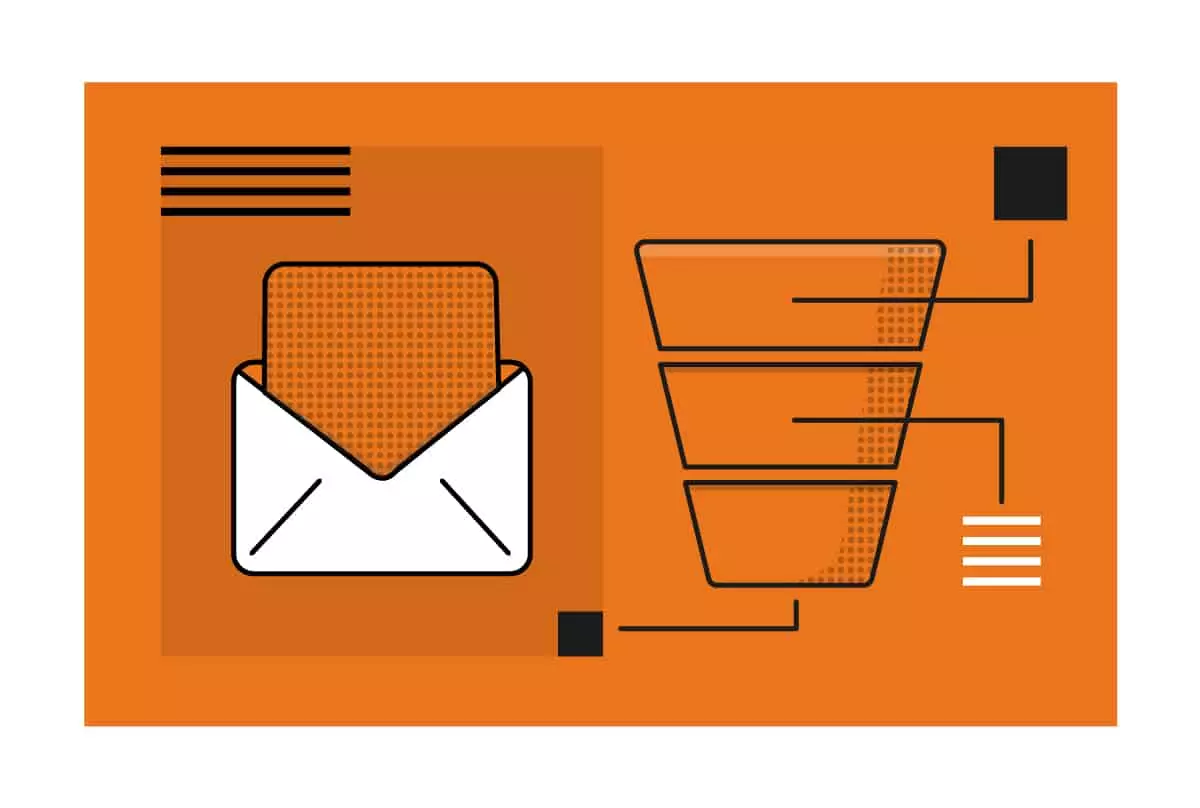
Think of an email funnel as a helpful, automated conversation. When someone subscribes, they start at the top of your funnel. Over several days or weeks, your automated sequence guides them through three main stages:
Attract (Top of Funnel): Capturing interest by offering a helpful free resource in exchange for an email address.
Nurture (Middle of Funnel): Building trust by sharing stories, practical tips, and solving small problems for free.
Convert (Bottom of Funnel): Presenting your product, digital download, or service as the natural solution to your reader’s main problem.
By guiding subscribers through these stages step-by-step, buying becomes a comfortable, natural decision for your reader rather than a high-pressure sales pitch.
Step 1: Create a High-Value Lead Magnet and Landing Page
Every successful funnel starts with an opt-in. Readers rarely share their email addresses without a compelling reason. Offering a valuable free resource—known as a lead magnet—gives people an easy incentive to join your list.
Choosing the Right Lead Magnet
A great lead magnet solves one specific problem quickly. You do not need to spend weeks writing a full book. Simple resources often work best because readers can consume and use them right away.
Popular and effective lead magnet ideas include:
A one-page PDF checklist or cheat sheet
A simple digital template or spreadsheet
A curated list of tools or resources
A short, five-minute video tutorial
A free ticket to an online workshop
If you want to host an online event to build your list, setting up a dedicated webinar landing page gives prospective leads a clear, attractive way to register.
Building Opt-in Pages Without Code
You do not need a multi-page website or complex design skills to collect email addresses. Simple opt-in forms and clean landing pages are often enough to get high sign-up rates.
Make sure your landing page includes a clear headline explaining what the subscriber will receive, a brief list of key benefits, and a clean sign-up box. Placing your opt-in link in your social media bio, within your blog posts, or under video descriptions creates a continuous stream of fresh leads into your funnel.
Step 2: Set Up Simple Email Infrastructure
Before writing your email sequence, having a hassle-free way to send your messages is crucial. Sending commercial mass emails directly from standard free email apps usually sends your messages straight to the spam folder. On the flip side, legacy enterprise platforms often require hours of technical DNS setups and complex server configurations before you can send a single email.
You can avoid technical friction by connecting your existing inbox directly to an intuitive dashboard. Connecting your personal Gmail account lets you send up to 500 emails per day safely for small campaigns or personal projects. Upgrading to a Google Workspace business account bumps your daily sending limit up to 2,000 emails per day directly from your workspace.
This direct connection provides two major benefits:
Zero Technical Friction: You skip complicated server setups and start sending in seconds.
Higher Inbox Deliverability: Sending through trusted Google infrastructure ensures your messages land safely in the main inbox rather than getting buried in spam or promotions folders.
Step 3: Write Your Automated Drip Sequence
The heart of your funnel is your drip campaign—a series of pre-written emails scheduled to send automatically after someone subscribes. An effective sequence does not rely on aggressive sales tactics. It simply follows a clear, helpful conversation flow.
Here is a simple, six-email structure you can use for almost any offer:
Email 1: Instant Welcome and Delivery (Day 0)
Send this email immediately after someone signs up. Deliver the free resource you promised right away. Keep your message warm, clear, and concise. Introduce yourself briefly, explain what kind of emails to expect in the future, and invite the subscriber to reply with a quick question. Getting subscribers to reply to your first email signals to inbox providers that your messages are wanted, boosting long-term deliverability. You can explore proven welcome email examples to structure this first message cleanly.
Email 2: Share Your Story and Perspective (Day 1)
Use your second email to build a personal connection. Share why you started your business, a major lesson you learned after overcoming a hard struggle, or the core philosophy behind your work. People buy from creators and brands they feel aligned with. Sharing your perspective turns you from a generic sender into a relatable guide.
Email 3: Deliver Deep Practical Value (Day 3)
Provide useful advice without asking for a sale. Break down a common industry mistake, share a step-by-step tutorial, or teach a simple framework your subscriber can use immediately. This proves that staying on your email list provides consistent, real-world value.
Email 4: Introduce the Main Problem and Your Solution (Day 5)
Highlight the primary struggle your target audience faces. Explain why common quick fixes fail or take too long, then introduce your paid product, course, or service as the logical step forward. Clearly list the primary benefits and outcomes your solution provides.
Email 5: Share Proof and Address Objections (Day 7)
Address common hesitations potential buyers might have. Share customer testimonials, case studies, or answer common questions directly. Showing real results helps prospective customers feel confident that your offer will work for them too.
Email 6: Clear Call to Action (Day 9)
Give your readers a final, clear reason to take action today. Remind them of the problem your offer solves, highlight any available bonuses or limited availability, and include a clear link to your checkout page. Keep your call to action direct and easy to spot.
Step 4: Write Convincing Copy and Keep Formatting Clean
Writing high-converting sales emails does not require formal academic language or pushy marketing speak. The best emails feel like friendly, direct letters written to one person.
To keep your emails readable and engaging on mobile devices, follow these practical writing habits:
Use Direct Subject Lines: Keep subject lines short and relevant. Clear subject lines out-perform confusing clickbait every time. If you need fresh ideas, checking out creative collections of funny email subject lines can inspire engaging headlines.
Keep Paragraphs Short: Limit paragraphs to two or three sentences. Short paragraphs make emails quick to scan on phone screens.
Focus on Benefits: Instead of simply listing raw product features, explain how those features save your customer time, lower their stress, or increase their income.
Use One Primary Call to Action: Directing readers to a single clear link per email prevents confusion and boosts total click rates.
Step 5: Track Simple Metrics and Maintain List Health
Once your automated drip sequence is live, monitoring basic metrics helps you refine your funnel over time. You do not need to get bogged down in deep data analysis to understand how your emails are doing.
Focus on three fundamental metrics:
Open Rate: Indicates if your subject lines are engaging and if your messages land in the main inbox.
Click-Through Rate: Shows whether your email body copy is interesting enough to drive readers to click your links.
Unsubscribe Rate: Helps you gauge list satisfaction. A minor trickle of unsubscribes is completely normal and keeps your list active.
Keeping your list healthy is equally important. Periodically removing inactive contacts who have not opened an email in several months maintains high deliverability scores. You can read dedicated resources on how often should email marketing lists be cleaned to keep your domain reputation strong.
How MailDrip Simplifies Funnel Automation
Building an email funnel often feels daunting because standard marketing software is packed with cluttered menus, hidden costs, and rigid subscription tiers. Many tools charge steep monthly fees before you even send your first email.
MailDrip strips away that complexity. Built by Charisol Limited in Yaba, Lagos, Nigeria, MailDrip provides a simple, clean workspace designed specifically for creators, digital marketers, solopreneurs, and growing brands.
MailDrip makes email funnel creation straightforward:
Distraction-Free Automations: Easily set up powerful automated email drip campaigns that nurture leads and generate revenue on autopilot.
Built-In Landing Pages & Opt-In Forms: Create clean sign-up pages right from your dashboard without needing an existing website.
Pay As You Go Flexibility: Start for free with 1,000 emails and unlimited contacts. With our flexible Pay As You Go option, you buy email credits only when you need them—no forced monthly commitments. You can review our flexible options on the MailDrip pricing page.
Seamless Gmail Integration: Connect your Gmail or Google Workspace account directly to send between 500 and 2,000 emails daily with zero technical setup.
24/7 Human Support: Get friendly help whenever you need it via live chat, email, and WhatsApp from real people who want your business to succeed.
If you want to see all the ways our simplified dashboard can help you automate outreach, check out the complete list of MailDrip features or jump right into your main MailDrip dashboard.
Frequently Asked Questions (FAQs)
How many emails should I include in my first automated funnel?
A standard welcome funnel works very well with four to six emails sent over ten days. This gives you enough space to welcome the reader, share useful value, build trust, and present your paid offer without overwhelming their inbox.
Do I need a website to build an email sales funnel?
No. You do not need a multi-page website to start collecting emails. MailDrip provides built-in landing pages and opt-in forms out of the box, letting you capture leads and send automated drip sequences without building or hosting a separate site.
How often should my drip emails send out?
For a new subscriber welcome funnel, sending your first email immediately is best practice. Space out subsequent emails by one or two days. This keeps your brand fresh in the subscriber’s mind while giving them space to read each message.
What is the main difference between an email newsletter and an email funnel?
An email newsletter is a broadcast message sent manually to your list at a specific date and time (like a weekly update). An email funnel is a pre-written, automated sequence that sends to individual subscribers based on when they signed up, working continuously on autopilot.
Can I build an email funnel for free?
Yes. MailDrip offers a free plan that includes 1,000 free emails and unlimited contacts. You can design your sign-up form, write your sequence, and test your automated funnel without upfront costs.
Building Your Automated Revenue Engine
Creating an email marketing funnel does not have to be stressful or technically complicated. By offering a helpful free resource, writing a simple series of pre-scheduled emails, and using an intuitive platform to handle delivery, you can build a system that grows your business around the clock.
If you are ready to stop sending manual emails and start reaching your audience automatically, you can create your free account today on the MailDrip sign up page and launch your first campaign in minutes. You can also explore more practical marketing tips on the official MailDrip blog.
What is the single biggest problem your audience faces today, and how could a simple free guide help them take their first step toward solving it?
