Email marketing remains one of the most powerful tools to grow a business, sell digital products, and build close relationships with an audience.
However, sending the wrong kind of message can damage your brand image and push subscribers to hit the unsubscribe button.
Many creators, solopreneurs, and small business owners accidentally make common email mistakes that lower their engagement rates and hurt email deliverability.
Understanding what types of emails to avoid is the first step toward building an effective email strategy. When you know the pitfalls, you can design clear, valuable messages that land safely in the inbox.
The 15 Email Campaigns to Avoid
1. The “Buy From Me Every Single Day” Campaign
No one enjoys a relationship that is entirely one-sided. Sending continuous sales pitches without offering any educational content, helpful tips, or entertainment will cause subscribers to ignore your messages. Balance is essential. You want your audience to look forward to your emails, not feel pressured to open their wallets every time your name appears in their inbox.
2. The No-Subject-Line Campaign
Sending an email with a blank subject line or generic placeholders like “Email #1” is a guaranteed way to lower your open rates. The subject line acts as the front door to your content. If it is blank or confusing, readers will skip past it or move it directly to the trash. It is vital to create clear, interesting text that invites people to read more.
3. The Broken Link Campaign
Few things hurt your professional credibility faster than a major promotion containing broken links. If an eager reader clicks your call-to-action to buy a new digital product and hits an error page, you lose potential revenue instantly. Testing every link before hitting send saves you from sending embarrassing follow-up corrections.
4. The Giant Unformatted Block of Text
People read differently online than they do in physical books. When an email looks like a dense wall of textbook text, the brain treats it as hard work. Most readers will skim or close the message immediately. Bullet points, bold keywords, and short paragraphs are necessary to make text easy to digest.
5. The One-Size-Fits-All Blast
Treating a college student looking for entry-level remote work the same way you treat an experienced small business owner is a mistake. Sending identical messages to your entire subscriber list ignores their specific interests. If your content feels irrelevant to a subscriber’s situation, they will lose interest in your brand.
6. The “Mystery Sender” Campaign
If your subscribers cannot instantly recognize who sent the email, they will suspect it is spam. Using an unrecognizable sender name or a cold corporate email address like “noreply@company.com” builds an immediate wall between you and your audience. People want to buy from real humans, not mysterious, automated setups.
7. The Image-Only Email
Designing an entire email as one large graphic image might look visually impressive, but it creates huge deliverability and accessibility risks. Many email applications block images by default. If your image fails to load, your subscriber will see a completely blank message. Furthermore, spam filters routinely flag image-heavy emails because they cannot read the hidden text.
8. The “Trick Your Reader” Subject Line
Using deceptive subject lines like “RE: Your Order Confirmation” or “Urgent: Account Suspended” just to trick people into opening a marketing message destroys trust instantly. Even if your open rates increase temporarily, your click-through rates will plunge once readers realize they have been fooled. Honest communication is the only way to build long-term customer loyalty.
9. The Cold Mass Email Campaign
Purchasing an email list and sending mass messages to individuals who never opted in is a direct violation of international data rules and ethical marketing practices. These campaigns trigger high spam reports, damage your domain reputation, and can get your account suspended. You must always focus on building a clean, permission-based list.
10. The Non-Responsive Desktop-Only Email
More than half of your audience reads your emails on mobile phones. If your email layout features wide tables, tiny text, or massive images that require horizontal scrolling on a smartphone screen, the user experience becomes frustrating. Emails must look clean and adapt seamlessly to every screen size.
11. The Completely Silent Welcome
When someone fills out an opt-in form on your landing page, they are highly interested in your brand at that exact moment. If you wait three weeks to send them your first message, they will likely forget who you are. Failing to send an immediate welcome email misses the prime window for building a strong relationship.
12. The Overly Complicated Automation Flow
Building a massive web of complex automations with dozens of conditional paths often leads to technical issues. Subscribers can easily get stuck in the wrong loop, receive duplicate messages, or stop receiving your updates entirely. Keeping your automation steps clean and simple makes management much easier.
13. The Endless Essay Email
While sharing stories is highly effective, there is a limit to how much text a person will read in a single marketing email. If your message goes on for thousands of words without a clear point or a distinct call to action, your audience will lose track of the core message. It is important to keep your copy focused and concise.
14. The Missing Unsubscribe Button
Hiding or removing the unsubscribe link is illegal and highly counterproductive. If a subscriber wants to leave your list but cannot find an easy way to do so, they will click the spam button instead. High spam complaint rates tell email providers that your messages are unwanted, which hurts your overall deliverability.

Take Your Emails to the Next Level
MailDrip helps you automate your outreach, nurture leads, and grow your brand with ease. Send the right message at the right time—without the stress.
Sign Up FreeNo Card Required
15. The Ghost Town Campaign
Sending five emails in one single week and then disappearing completely for three months confuses your audience. Consistency builds familiarity. When you send messages on an unpredictable schedule, subscribers lose track of your brand, leading to lower engagement rates when you finally decide to launch a product.
How to Fix Common Email Pitfalls
Avoiding these mistakes is much easier when you use an email marketing platform designed to keep your campaigns clean and structured. The table below outlines how specific features address common campaign errors.
| Campaign Pitfall | The Core Problem | How to Solve It Easily |
| One-Size-Fits-All Blast | Irrelevant content sent to everyone | Use simple tags and smart subscriber segments |
| Image-Only Emails | Messages do not load or trigger spam | Combine clean, modern text with balanced images |
| Complicated Automations | Broken logic paths and missed messages | Launch simple, direct automated email drips |
| Missing Unsubscribe | Higher spam complaints and legal issues | Include automated, clear footer links in every template |
| No Landing Page Traffic | No place to capture interested leads | Build clean opt-in forms and standalone landing pages |
Why Complicated Tools Create Email Mistakes
Many creators and digital marketers fall into these campaign traps because their email tools are too confusing. When a platform is loaded with endless settings, complex dashboards, and interfaces built for large tech teams, it is easy to make mistakes. You might accidentally send an unfinished draft, mess up a complex automation chain, or forget to format a layout for mobile devices.
You do not need overwhelming features to run a highly profitable business. You need the right tools working perfectly behind the scenes. Stripping away the digital clutter allows you to focus purely on your message, your audience, and your revenue goals.
How MailDrip Keeps Your Email Campaigns Clean and Effective
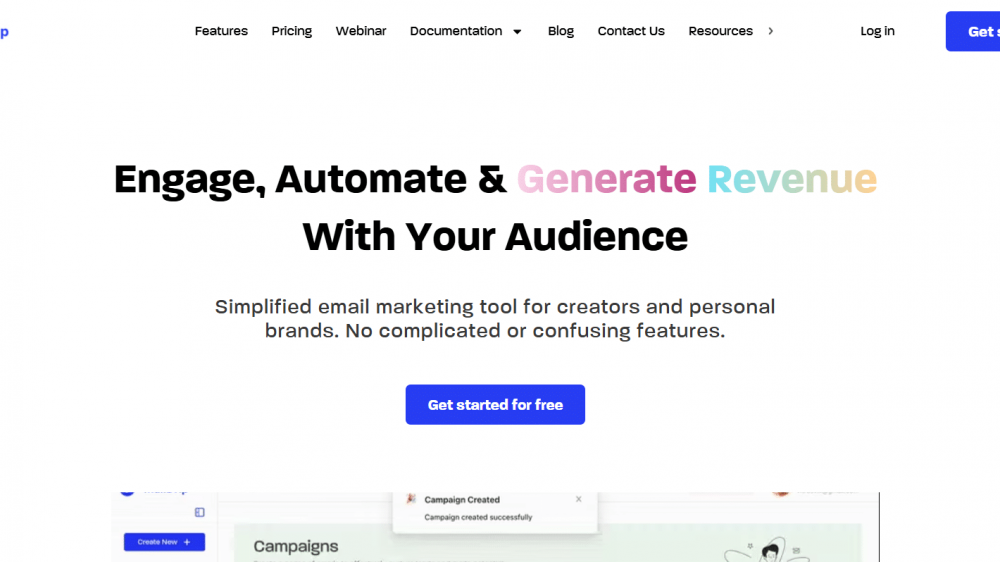
We designed MailDrip to provide a simple, distraction-free environment for creators, solopreneurs, digital marketers, and personal brands. We remove the noise so you can design high-performing campaigns without the stress.
Distraction-Free Interface
Our clean editor helps you write freely and format your messages quickly. You will not have to wrestle with overdesigned code or confusing layouts. This simplicity ensures your text remains clean, highly readable, and perfectly formatted for desktop and mobile screens alike.
Simple Automations That Deliver
You do not need a degree in engineering to set up an automated sequence. MailDrip allows you to build straightforward, high-converting drip campaigns that welcome new subscribers, nurture leads, and deliver digital products on autopilot while you sleep.
Landing Pages and Forms Out of the Box
You do not even need a website to start building your email list. MailDrip gives you beautiful, responsive landing pages and opt-in forms right away. You can capture leads from social media and send them directly into your automated sequences without setting up complicated external connections.
Pay Only for What Your Business Uses
We believe in honest, predictable pricing. If you are just starting out, our free plan offers 1,000 free emails with unlimited contacts so you can grow without pressure. As you scale, our Pay As You Go (PAYG) system lets you buy credits only when you need them, keeping your overhead costs low.
Real Human Support Available 24/7
When you have a question about setting up a form or reviewing your analytics, you should not have to talk to a robotic chat assistant. The MailDrip team provides round-the-clock support via chat, email, and WhatsApp. You get real help from real humans who care about your business growth.
FAQs
What is a drip campaign?
A drip campaign is a series of automated emails sent to subscribers based on specific actions they take, such as signing up for a newsletter or downloading a free digital guide. These messages help nurture relationships over time without requiring manual sending every single day.
How often should I send marketing emails to my list?
The ideal schedule depends on your audience, but consistency is key. Sending one well-structured newsletter per week or a brief update every two weeks keeps your audience engaged without overwhelming their inbox. Avoid erratic schedules where you send too many emails at once and then go completely silent.
Do I need a professional website to start email marketing?
No. With tools like MailDrip, you can build dedicated landing pages and opt-in forms directly inside the platform. This allows you to collect email addresses from places like TikTok, Instagram, or LinkedIn and grow your subscriber base without managing a separate website setup.
What causes marketing emails to go to the spam folder?
Emails land in spam folders for several reasons, including using bought lists, hiding the unsubscribe link, using misleading subject lines, or sending messages containing broken links and excessive, unformatted text. Using a clean platform and sending valuable content helps protect your domain deliverability.
Crafting Clean Campaigns Moving Forward
Running a successful email marketing campaign does not require expensive, bloated enterprise software. By avoiding misleading subject lines, messy formats, and broken workflows, you respect your subscribers’ time and build lasting trust.
When you focus on clear writing and clean delivery, your email list naturally becomes your most valuable business asset. If you want to stop fighting with complicated automation logic and focus on connecting with your community, look at our features page to see how easy email marketing can be. Ready to launch your next campaign smoothly? You can create a free account on our signup page and experience a calm, productive marketing environment today.
Which of these 15 email campaign pitfalls have you encountered most often in your own inbox, and how will you design your next message to avoid it?