Selling digital products has never been more accessible. From ebooks and online courses to templates, music, or software, creators and businesses are packaging their expertise into downloadable products that generate income around the clock.
If you’re looking for a reliable way to set up your own digital product store, WooCommerce is one of the best platforms to consider.
WooCommerce is a free plugin for WordPress that turns any website into a fully functional online store. What makes it powerful for digital products is its flexibility, scalability, and cost-effectiveness.
The setup might feel overwhelming at first, but once you understand the process, it’s actually straightforward. Let’s walk through the essentials of setting up your own digital store with WooCommerce.
Why WooCommerce for Digital Products?
There are plenty of eCommerce tools out there, but WooCommerce has become the go-to for businesses of all sizes. Here’s why:
- No monthly subscription fees – WooCommerce itself is free to use.
- Full control – You own your store, your data, and your customers.
- Scalability – Start small and expand as your product library grows.
- Plugins and extensions – Thousands of add-ons help you customize your store for digital sales, memberships, subscriptions, and more.
- Flexibility for creators – Whether you’re selling one template or a full library of digital downloads, WooCommerce adapts.
How do I Set Up a WooCommerce Digital Store?
1. Get WordPress and Hosting in Place
WooCommerce runs on WordPress, so you’ll need:
- A domain name (your store’s web address).
- A hosting plan (ideally one optimized for WordPress).
- WordPress installed on your hosting account.
Most hosting providers make this process quick with one-click WordPress installs.
2. Install WooCommerce
Inside your WordPress dashboard:
- Go to Plugins > Add New.
- Search for WooCommerce.
- Install and activate it.
Once activated, WooCommerce will walk you through its setup wizard to configure basics like store details, currency, and payment methods.
3. Configure Digital Product Settings
By default, WooCommerce supports digital downloads. To optimize your store:
- Go to WooCommerce > Settings > Products > Downloadable Products.
- Choose your download method (best option: “Force Downloads”).
- Enable download link restrictions for added security.
This ensures customers only get access to files after purchase and prevents unauthorized sharing.
4. Add Your First Digital Product
Here’s how to upload your product:
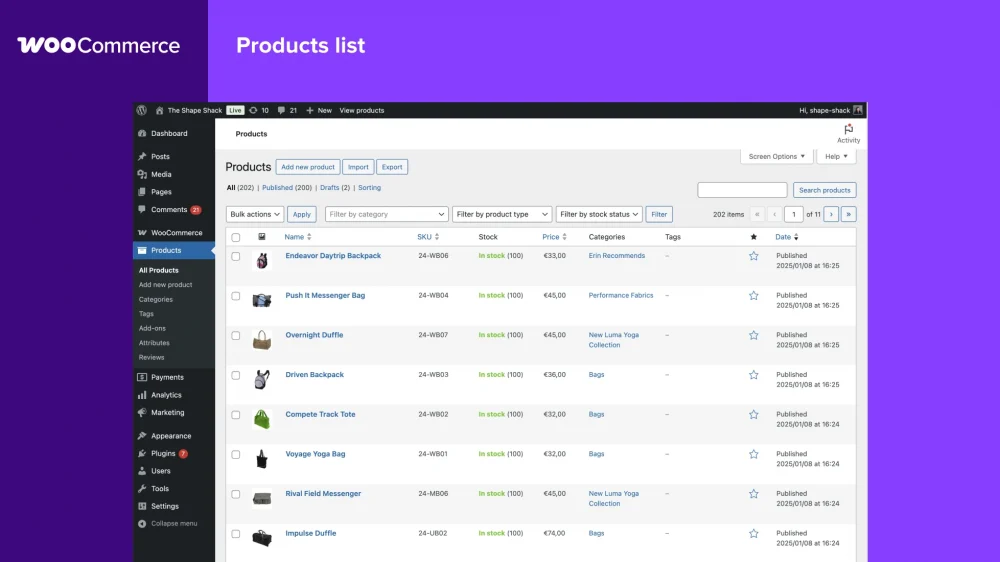
- Go to Products > Add New.
- Give it a name and description.
- Under Product Data, check Downloadable.
- Upload your file(s) – whether it’s a PDF, ZIP folder, or MP3.
- Set the price, product image, and any categories or tags.
Hit publish, and your first digital product is live.
5. Set Up Secure Payments
WooCommerce integrates with payment gateways like PayPal, Stripe, and bank transfers. For digital stores, Stripe and PayPal are usually the most convenient. You can enable these during the setup wizard or later under WooCommerce > Settings > Payments.

Take Your Emails to the Next Level
MailDrip helps you automate your outreach, nurture leads, and grow your brand with ease. Send the right message at the right time—without the stress.
Sign Up FreeNo Card Required
6. Design Your Storefront
Your store’s look matters, especially when selling digital products where presentation builds trust.
- Pick a WordPress theme that’s compatible with WooCommerce.
- Customize with your brand colors, typography, and logo.
- Add essential pages like “About,” “Contact,” and “Refund Policy.”
7. Optimize for Customer Experience
Since digital buyers expect instant access, make sure your store delivers:
- Enable automatic file delivery after payment.
- Add clear product descriptions and previews.
- Use FAQs to explain download limits, file formats, and licensing.
8. Automate Post-Purchase Emails
Here’s where MailDrip.io comes in. A big part of selling digital products is nurturing your audience after the sale. With MailDrip.io, you can:
- Send automated thank-you emails after each purchase.
- Build drip campaigns to upsell related products.
- Use ready-made templates to quickly design your follow-up emails.
- Keep costs predictable with Pay As You Go (PAYG) options.
This helps you build long-term customer relationships instead of one-off transactions.
9. Test Your Store Before Launch
Before announcing your store to the world:
- Make a test purchase to ensure files are delivered properly.
- Check that emails, receipts, and download links work.
- Review your site on mobile devices to confirm everything looks good.
Best Practices for Selling Digital Products on WooCommerce
- Keep files lightweight: Compress images and bundle files in ZIP folders for smoother downloads.
- Use licensing or product keys for software or templates to protect your work.
- Create bundles: Group related products together at a discounted price.
- Offer limited-time discounts to encourage faster conversions.
- Regularly back up your store so you don’t lose customer data or files.
FAQs
Do I need coding skills to set up WooCommerce?
Not at all. Most of the process is point-and-click inside WordPress. Plugins handle advanced features without needing code.
Can WooCommerce handle large digital files?
Yes, but your hosting provider’s upload limits matter. For large files like video courses, consider using cloud storage integrations.
How do I prevent customers from sharing files?
You can limit download attempts, expire links after a set time, or use third-party plugins for licensing and DRM protection.
Can I sell subscriptions or memberships?
Absolutely. WooCommerce has add-ons for subscriptions and memberships, letting you charge recurring payments for access to your content.
How do I promote my digital store?
Email marketing is one of the most effective strategies. Pair WooCommerce with MailDrip.io to send automated product updates, nurture sequences, and launch announcements.
Conclusion
Setting up a digital product store with WooCommerce is simpler than most people expect. Once you’ve configured your store, uploaded your products, and connected payments, you’re ready to start selling.
The real growth comes from how you engage your customers after that first purchase—and that’s where tools like MailDrip.io make the difference.
What digital product are you most excited to sell through your WooCommerce store?
