Every time you click send on a marketing email, you are making a guess. You guess that your subject line is catchy enough to get opened.
You guess that your message is interesting enough to keep people reading. You guess that your link is clear enough to get clicks.
But guessing can cost you money and time. If you want to grow your business, you need to stop guessing and start testing.
This is where A/B testing comes in. A/B testing is simply sending two different versions of the same email to see which one performs better. You might test two different subject lines or two different call-to-action buttons.
Many people think you need expensive, complicated software to run these tests. The good news is that you can do it using your regular Gmail account. By connecting the right tools to your Gmail workspace, you can easily find out what your audience likes best.
Let us look at why testing matters and explore the eight best tools to help you run A/B tests directly through Gmail.
What is A/B Testing and Why Use It With Gmail?
A/B testing, which is also called split testing, divides your email list into two smaller groups. Group A gets the first version of your email, and Group B gets a slightly modified version.
For example, you might send the exact same email body to everyone, but change the subject lines:
- Version A: Get 20% off your next purchase today!
- Version B: Inside: A special discount just for you
After a few hours, you look at the data. If Version B got way more opens, you know exactly what style of language your subscribers prefer.
There are massive advantages to setting up these tests. To learn more about how this helps your business grow, you can read about the 12 benefits of A/B testing.
Using Gmail as your primary engine for email marketing makes a lot of sense. It is familiar, it has excellent deliverability, and you already know how to use the interface. However, if you try to do it entirely on your own without any extra software, you run into major walls.
Standard Gmail does not have a “test” button to split your list automatically, and tracking statistics manually is almost impossible. To understand the limits and possibilities of the platform, check out our guide on how to do email marketing with Gmail.
8 Tools for A/B Testing Email Marketing with Gmail
To run split tests with Gmail without losing your mind, you need helper tools. Here are eight great options that simplify the process.
1. MailDrip

If you want a straightforward, stress-free way to run email campaigns and tests without paying for heavy enterprise features, MailDrip is your best option.
Built with simplicity in mind, MailDrip lets you connect your existing Gmail account directly to a clean dashboard. Once connected, your daily sending limits are completely unlocked. You can safely send up to 500 daily emails using a personal Gmail account, or up to 2,000 emails per day if you use a business Google Workspace account.
Why it is great for A/B testing: MailDrip strips away the confusing analytics and engineering noise. You can easily divide your subscribers, send tailored variations, and see clear reports on what works.
MailDrip also offers beautiful templates, automated drip sequences, and built-in opt-in forms. This means you do not even need a website to start gathering leads and testing your offers.
You can review the straightforward features and check out the flexible pricing options, which include a generous free plan and a Pay As You Go option where you only buy email credits when you actually need them.
2. GMass
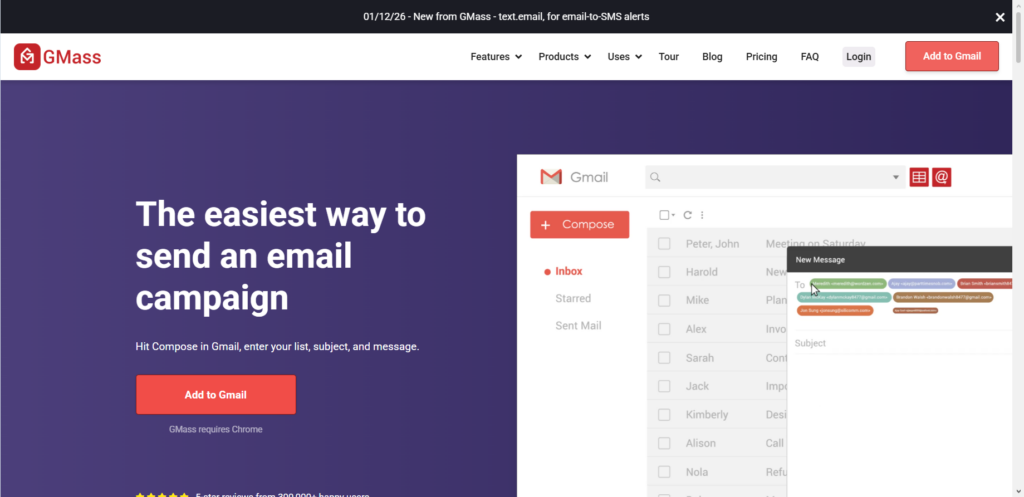
GMass is a popular Chrome extension that builds email marketing features directly inside the standard Gmail interface. It turns your regular compose window into a mass email tool.
With GMass, you can set up basic A/B tests for your subject lines or email content. The tool can automatically send out your variations to a small percentage of your list, track the results for a set period of time, and then send the winning version to the rest of your subscribers. It is a solid choice if you prefer never leaving the native Gmail screen.
3. Yesware

Yesware is primarily designed for sales teams who do a lot of cold outreach, but its testing features are highly useful for digital marketers too. It operates as an add-on for Gmail.
Yesware lets you create templates and test them against each other in campaigns. You can track open rates, link clicks, and attachment views. The data helps you understand which pitch works best for getting responses from busy prospects.
4. Mixmax
Mixmax is another powerful Gmail extension that focuses on turning your emails into interactive experiences. It enhances your standard inbox with features like embedded polls, calendar scheduling links, and sequence tracking.
When it comes to A/B testing, Mixmax allows you to test different subject lines and message bodies within your multi-step automated sequences. It gives you clear insights into which step of your email sequence is causing people to drop off or take action.

Take Your Emails to the Next Level
MailDrip helps you automate your outreach, nurture leads, and grow your brand with ease. Send the right message at the right time—without the stress.
Sign Up FreeNo Card Required
5. Streak CRM
Streak is a customer relationship management tool that lives completely inside Gmail. It helps you track leads, support tickets, and deals without switching tabs.
While it is a CRM first, Streak includes a robust “Mass Email” feature. You can send group emails and monitor who opens them. To run an A/B test, you can split your lead pipelines manually and send two different templates to see which group moves faster down your sales funnel. Learn more about monitoring these behaviors in our article on how to track email opens.
6. Right Inbox
Right Inbox is an extension built for creators and professionals who want better control over their daily communication. It provides email tracking, recurring emails, and sequence tools.
For A/B testing, Right Inbox helps you track the performance of different email signatures, content styles, and follow-up times. If you want to know if a follow-up email sent on Tuesday morning works better than one sent on Thursday afternoon, this tool can help you find out.
7. Vocus.io
Vocus.io is an affordable, lightweight tool for Gmail that focuses on outreach automation. It gives you mail merge capabilities, automated follow-ups, and link tracking.
Vocus.io allows you to configure variations of your initial outreach emails. If you are testing a short, direct message against a longer, story-based message, you can view the exact interaction metrics side-by-side to make data-backed adjustments to your copy.
8. Mailtrack

Mailtrack is widely known as a simple, dependable double-check mark system for tracking whether your emails have been opened. It is lightweight and sits quietly inside your Gmail browser window.
While it does not have an automated A/B test button, it is perfect for beginners who want to do manual split testing on a budget. You can divide your list yourself, send your two variations, and use Mailtrack to see which one gets the faster open response. If you are ready to expand your outreach, look through our advice on how to safely send mass emails.
Comparing the Tools at a Glance
| Tool Name | Type of Integration | Best For | Standout Feature |
| MailDrip | Dashboard via Gmail API | Creators & Personal Brands | Simplicity, built-in landing pages, no technical friction |
| GMass | Chrome Extension | Heavy Gmail Users | Automated winner selection inside Gmail |
| Yesware | Gmail Add-on | Sales Outreach | Detailed tracking of attachment downloads |
| Mixmax | Chrome Extension | Interactive Emails | Embedded polls and calendar features |
| Streak CRM | Native Gmail CRM | Managing Pipelines | Tracking tests based on customer stages |
| Right Inbox | Browser Extension | Solopreneurs | Simple follow-up sequences and reminders |
| Vocus.io | Browser Extension | Budget Marketers | Low-cost campaign testing features |
| Mailtrack | Lightweight Extension | Absolute Beginners | Simple visual open tracking |
How to Run a Successful A/B Test in 4 Simple Steps
Having the tool is only half the battle. To get real results that help you make more sales and connect with your audience, you should follow a clear process.
Step 1: Pick One Element to Test
Do not try to change everything at once. If you change the subject line and the header image and the discount amount all in one go, you will not know which change actually caused the result. Stick to one thing at a time.
- Test 1: Subject line A vs. Subject line B (Tests open rates).
- Test 2: Short copy vs. Long copy (Tests reading engagement).
- Test 3: Text link vs. Large button (Tests click rates).
Step 2: Divide Your Audience Fairly
Make sure your test groups are selected randomly. If you send Version A only to people who joined your list this week, and Version B to people who have followed you for a year, your test will be inaccurate. Most automated tools will handle this random split for you.
Step 3: Wait for Enough Data
Do not declare a winner ten minutes after clicking send. Give your subscribers time to check their inboxes. A good rule of thumb is to wait at least 24 hours before analyzing the final data. This gives people across different time zones a chance to open your message.
Step 4: Act on What You Learn
If Subject Line A wins by a mile, take note of the language you used. Was it shorter? Did it include a number? Use those styles in your future campaigns. Continuous improvement is how you turn a small email list into a reliable source of income.
FAQs
Can I do A/B testing natively inside the free version of Gmail?
No. Standard Gmail does not include features for split testing, random list division, or advanced tracking analytics. You must use a third-party tool or platform to handle these processes.
Will running mass email tests get my Gmail account banned?
Google has strict rules against spamming. If you send too many emails manually or use poorly configured tools, your account could be flagged. Using an optimized dashboard like MailDrip ensures you stay safely within your daily personal limit of 500 emails or your workspace limit of 2,000 emails without triggering security issues.
Do I need to be an expert in coding or data analysis to do this?
Not at all. The tools listed above do the heavy lifting for you. They present your open rates and click rates in clean graphs and tables so you can see the winner instantly.
Do I need a website to start testing email marketing?
You do not. If you use a platform like MailDrip, you get access to pre-made landing pages and opt-in forms. You can collect email addresses from social media and run your tests completely without a traditional website.
How MailDrip Saves You From Email Marketing Stress
Many email platforms overwhelm you with dense analytics, clunky interfaces, and hundreds of features you will never touch. They make you feel like you need a marketing degree just to send a simple newsletter.
At MailDrip, we believe things should be different. Born in Lagos, Nigeria, and built with love by the team at Charisol Limited, MailDrip was designed specifically for creators, solopreneurs, and personal brands who just want things to work.
We strip away the noise. You get a calm, distraction-free dashboard where you can easily write your messages, set up your automated drip sequences, and connect your Gmail account seamlessly in seconds. No server configurations, no technical friction, and no steep learning curves.
Whether you want to send your first test or launch a fully automated campaign to nurture your leads, we provide you with the exact tools you need. Plus, our friendly human support team is available 24/7 via chat, email, and WhatsApp to help you every single step of the way.
If you want to read more tips on growing your audience and running smart campaigns, visit our MailDrip blog. If you are ready to take the guesswork out of your email marketing entirely, head over to our MailDrip signup page and start your free account today.
When you look back at your recent email campaigns, are you making decisions based on what your audience actually tells you, or are you still just guessing?
